Vehicle Checks
Walkaround checks drivers actually complete
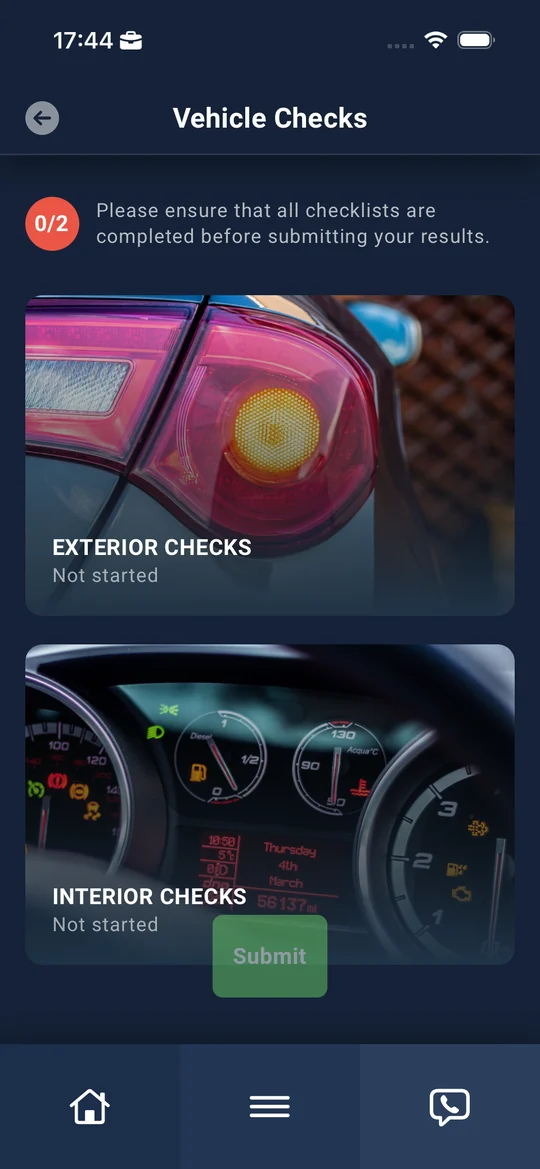
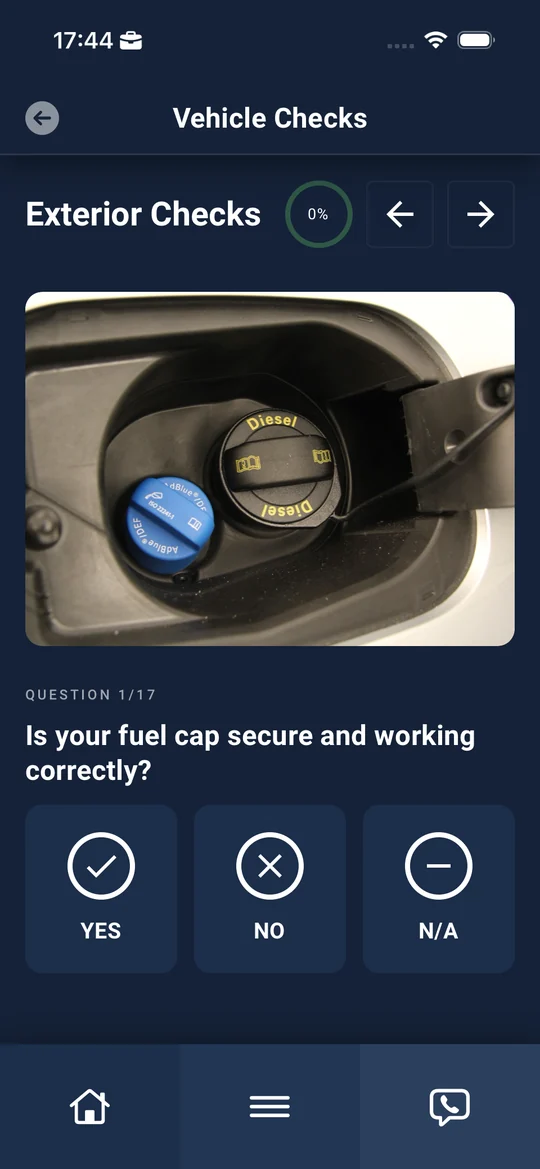
Drivers complete checks for cars and vans in the Driver App, answering clear questions with photo evidence. Failed items become defects automatically, and every check that was due is on record.
Safer vehicles
Problems are spotted and reported before the vehicle goes back on the road.
Caught early
Small issues are fixed before they turn into expensive repairs or downtime.
Evidence of compliance
Every check, answer, photo and odometer reading is recorded and audited.
No more paper
No clipboards, no spreadsheets and no chasing forms around the depot.
How it works
From walkaround to repair, without re-keying anything
- STEP 1
Set up
Choose the checklist for each vehicle type and switch checks on for the driver groups that need them.
- STEP 2
Remind
Drivers are reminded when a check is due, and overdue checks are tracked.
- STEP 3
Check
Guided questions in the app or on the web, with photos, notes and the odometer reading.
- STEP 4
Raise & share defects
Failed items become defects automatically, categorised by severity and type, and can be shared securely with your maintenance provider.
- STEP 5
Report
Fleet and depot managers see who's checked, what's overdue and what needs fixing.
Guided checks
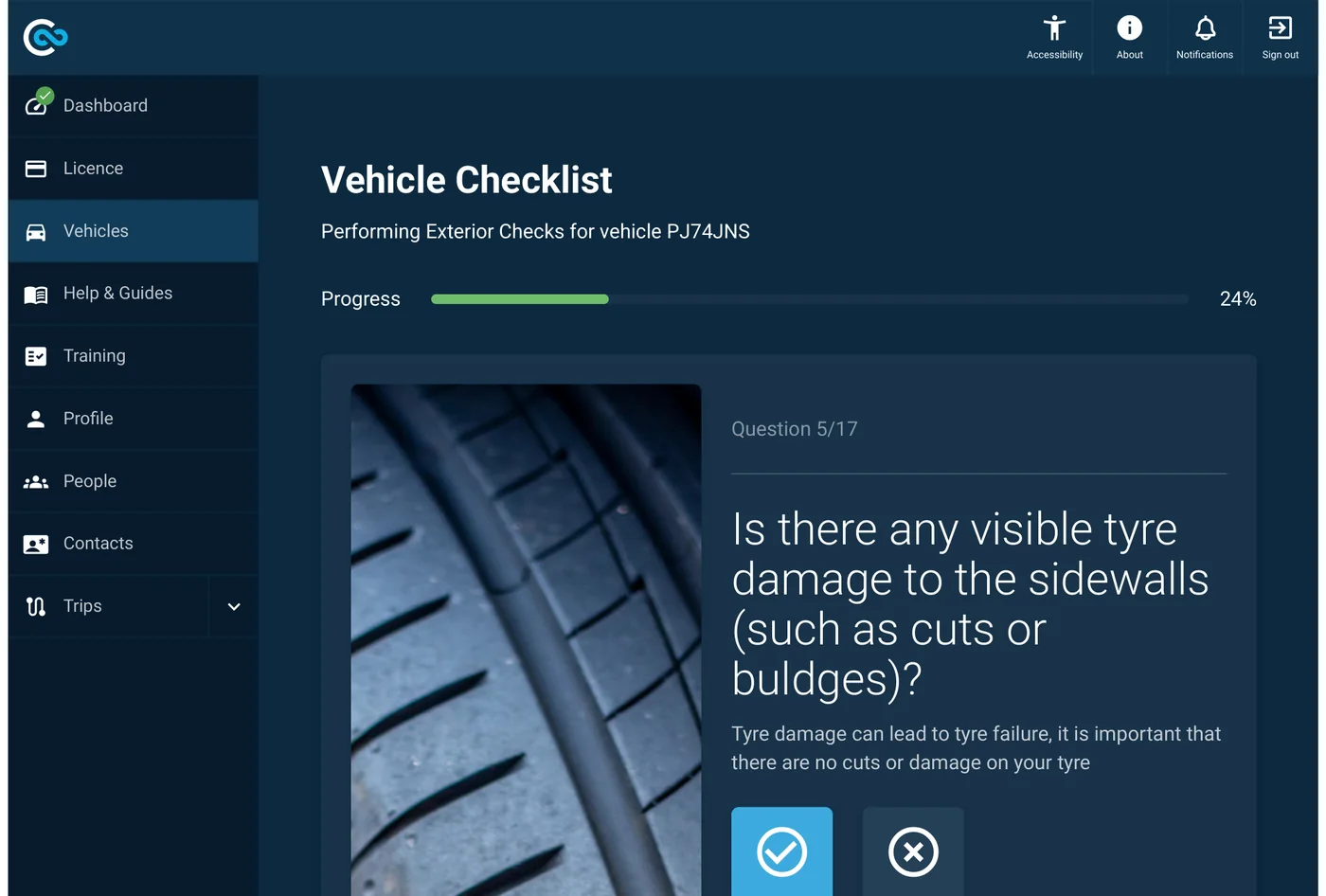
Clear questions, with photos of what good looks like
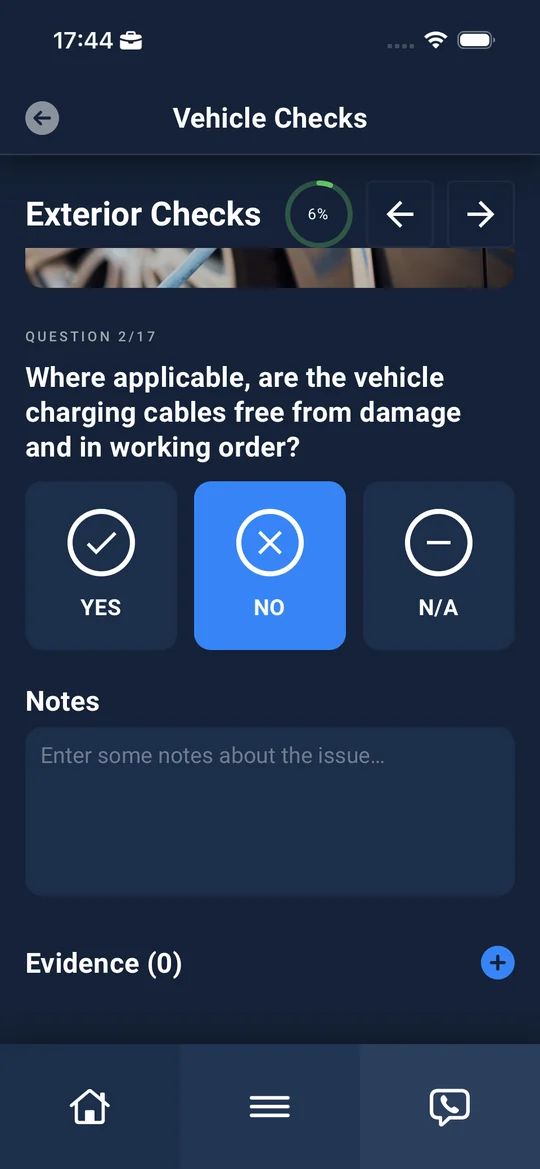
Each question comes with a reference photo and a short explanation, so drivers know what to look for. When something fails, Combiine asks for the detail that matters, such as which tyre and what size.
- Yes, No or N/A answers, with notes and photo evidence
- Separate exterior and interior checklists
- Odometer captured as part of the check
- The same checks in the Driver App and on the web portal
Your checklists
Checklists that fit your vehicles
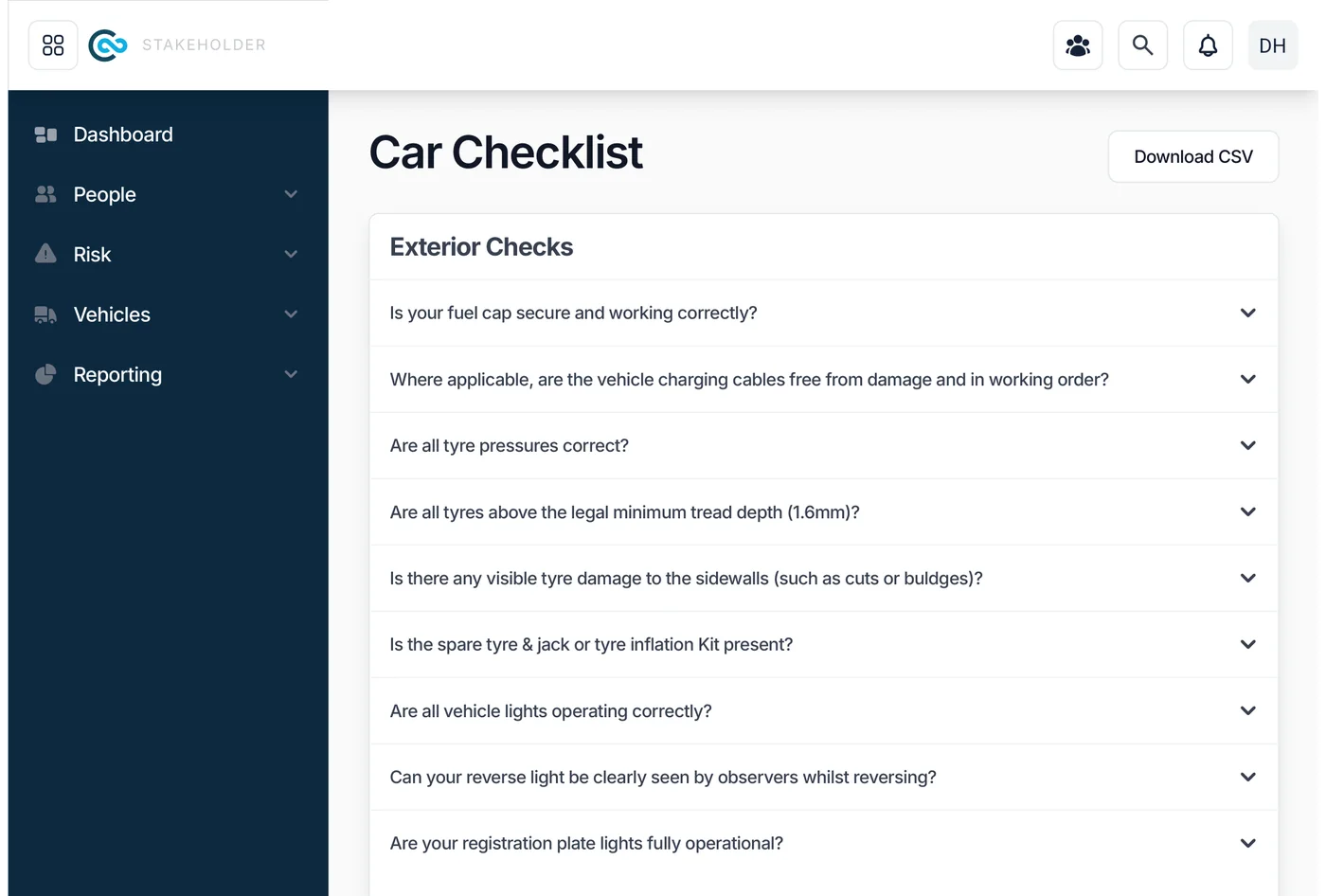
Use separate checklists for cars and for vans and LCVs, covering tyres, lights, fluids, bodywork, glass, safety equipment and documents. Stakeholders can review every question and download the checklist.
- Configurable checklists by vehicle type
- Questions for EVs, such as charging cable condition
- Download checklists as CSV for audits and policy reviews
Configured per driver group
Checks for the drivers who need them
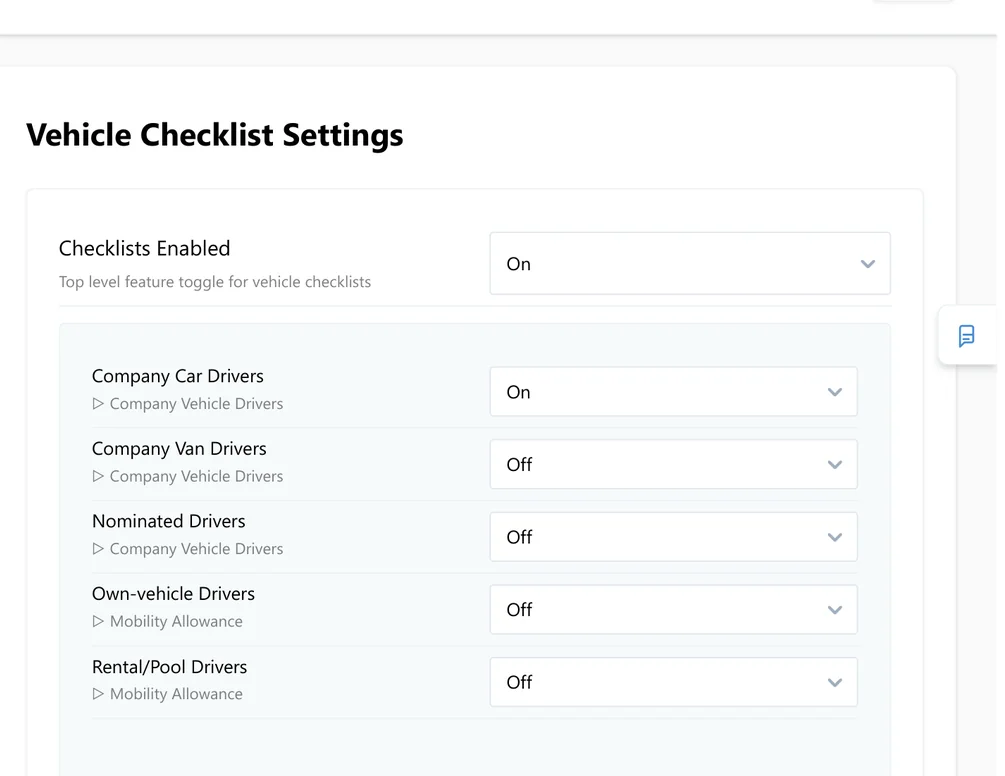
Switch vehicle checks on or off for each group: company car drivers, van drivers, nominated drivers, own-vehicle drivers and pool or rental drivers. Due dates are calculated automatically.
- Settings per driver group
- Automatic next-check due dates
- Option to let drivers raise a defect without a check
Share defects securely
Give your maintenance provider the full picture
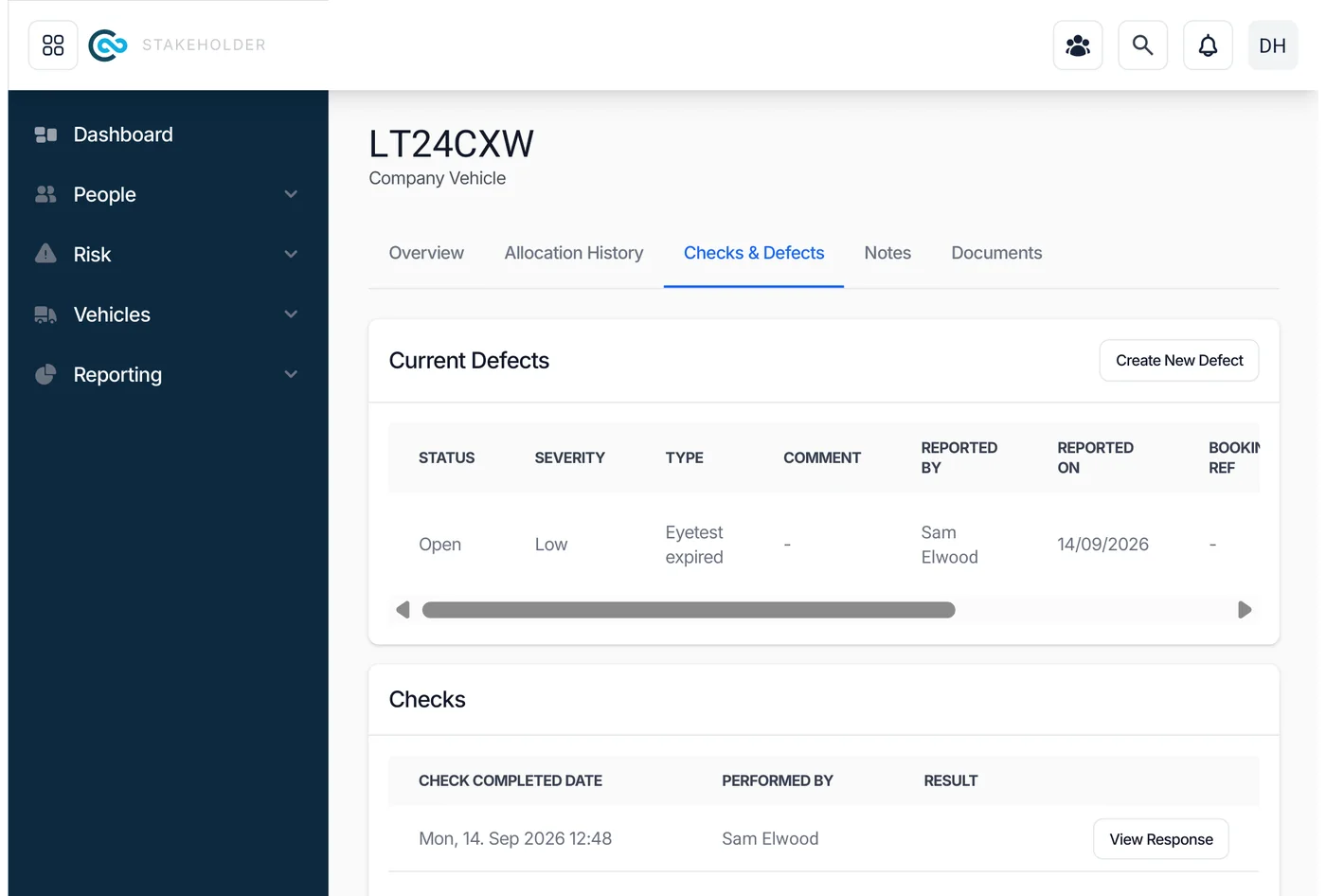
Share a secure link for a vehicle, and your maintenance provider sees the defect photos, notes and check history without needing a login. They know what to expect before the vehicle arrives.
- A secure link per vehicle
- Photos, notes and history in one place
- No extra logins for third parties
Depots & line managers
See every vehicle at a depot, and check it on someone's behalf
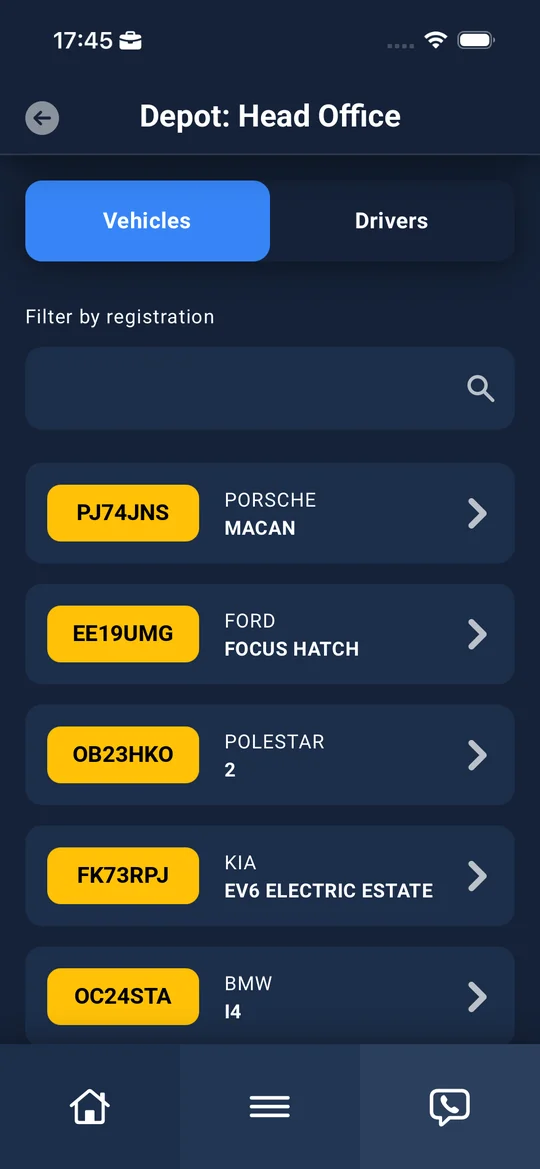
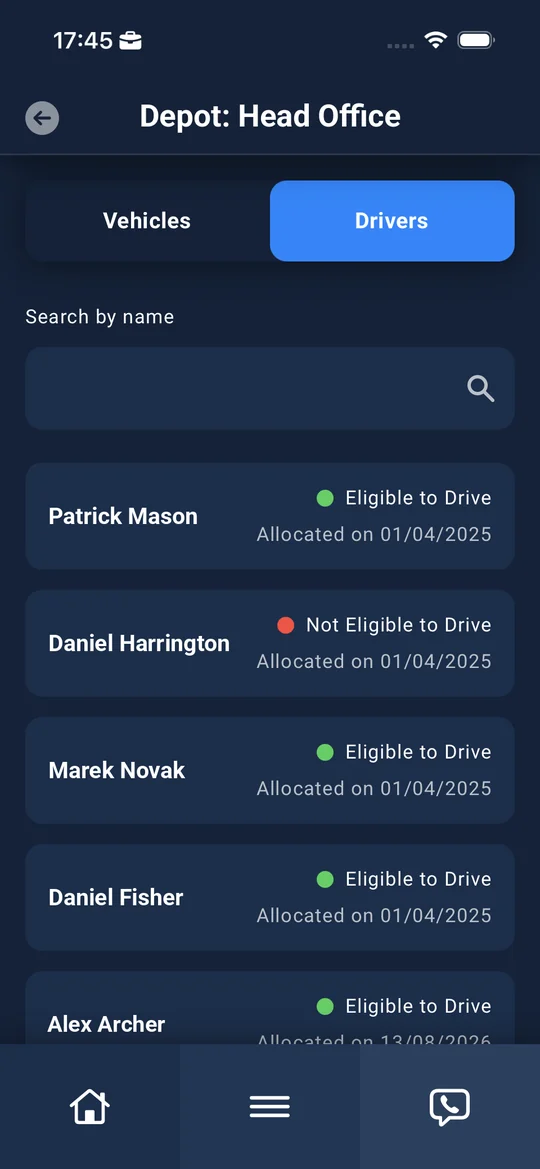
Depot managers see each vehicle's check, MOT and tax due dates and any open defects. They can find any vehicle, carry out a check or add an odometer reading for someone else, and see which drivers are eligible to drive.
- Depot view of vehicles and drivers
- Check, MOT and VED due dates at a glance
- Spot-checks and checks on behalf of another driver
- Driver eligibility alongside their vehicles
Compliance reporting
Proof of every check that was due
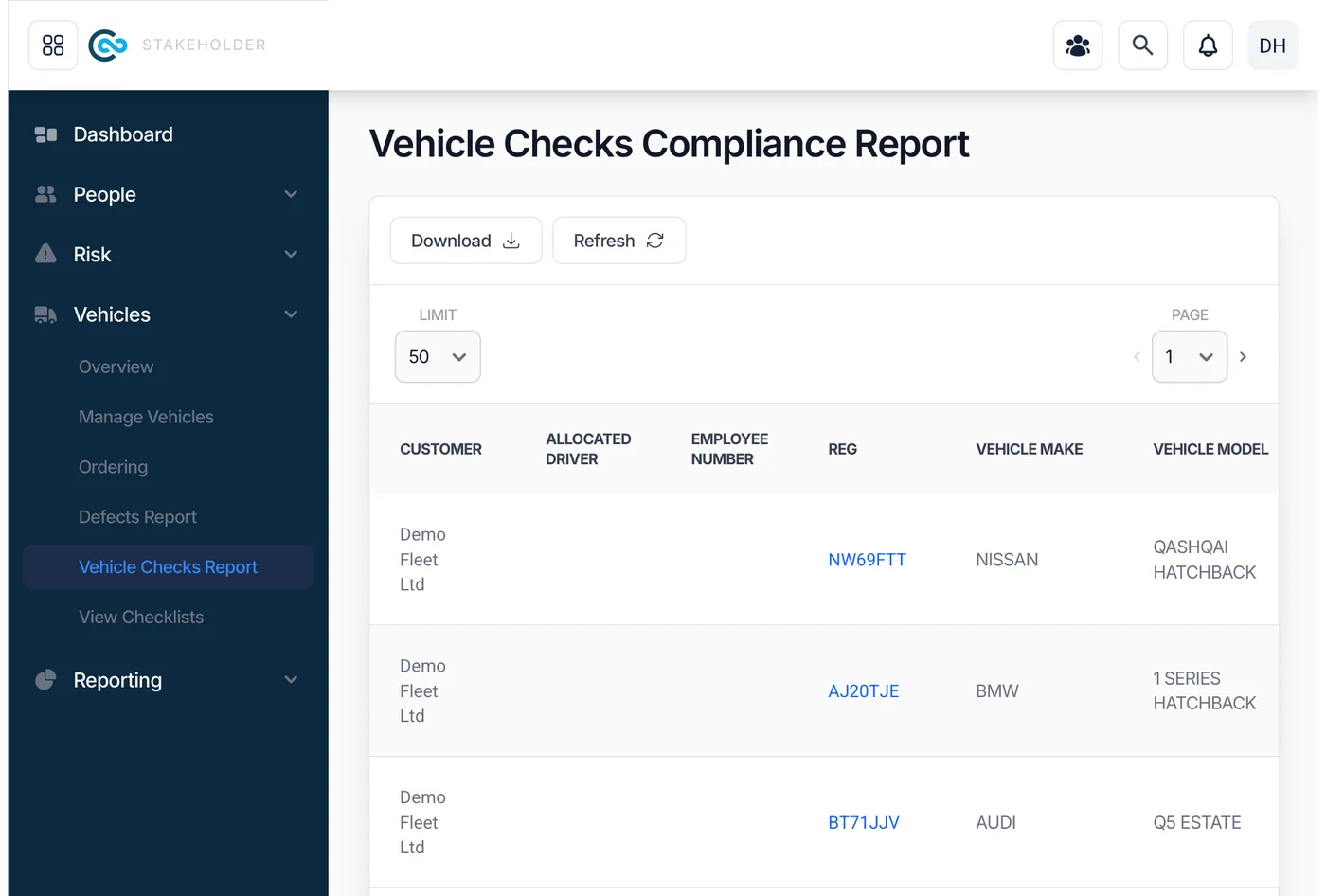
The compliance report shows every vehicle with its driver, last check, next check, whether it's overdue, and its MOT and VED dates. Download it for audits, or open any vehicle to see its full check history.
- Last and next check, and overdue status, per vehicle
- MOT, VED and latest odometer in the same report
- Full check history, with each response on record
- Download for audits and board reporting
Part of one platform
Works with the rest of Combiine
See Vehicle Checks in action
We'll show you a check from the driver's phone through to the defect and the compliance report.