Defect Management
From reported defect to repaired vehicle
Defects are reported with photos, triaged by severity and passed straight to the people who fix them. Every step is tracked, from the first report to the booking and the archive.
Workflow automation
One workflow for every defect, however it's reported
Whether a defect comes from a failed check or a driver reporting it directly, it follows the same agreed process. Nothing relies on someone remembering to forward an email.
- STEP 1
Report
From a failed check or reported directly in the app, with photos and comments.
- STEP 2
Triage
Categorised by severity and type. High-priority defects are highlighted.
- STEP 3
Notify
Your maintenance team is told straight away, and the defect joins your actions queue.
- STEP 4
Book & repair
Booking provider, reference and date are captured against the defect.
- STEP 5
Close & archive
Closed defects move to the archive, with the full history kept for audit.
For drivers
Report a defect in seconds
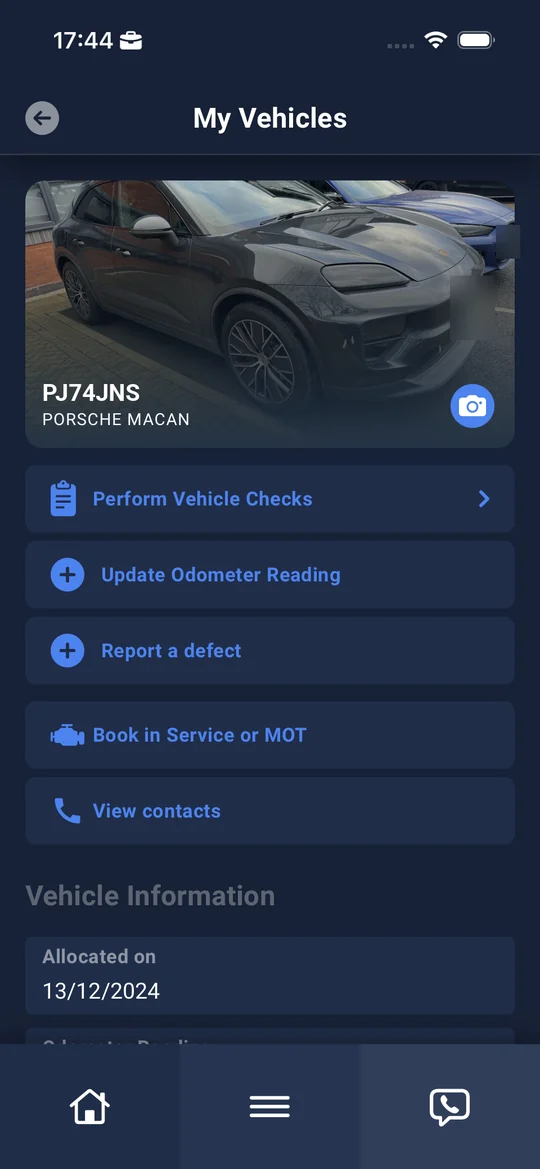
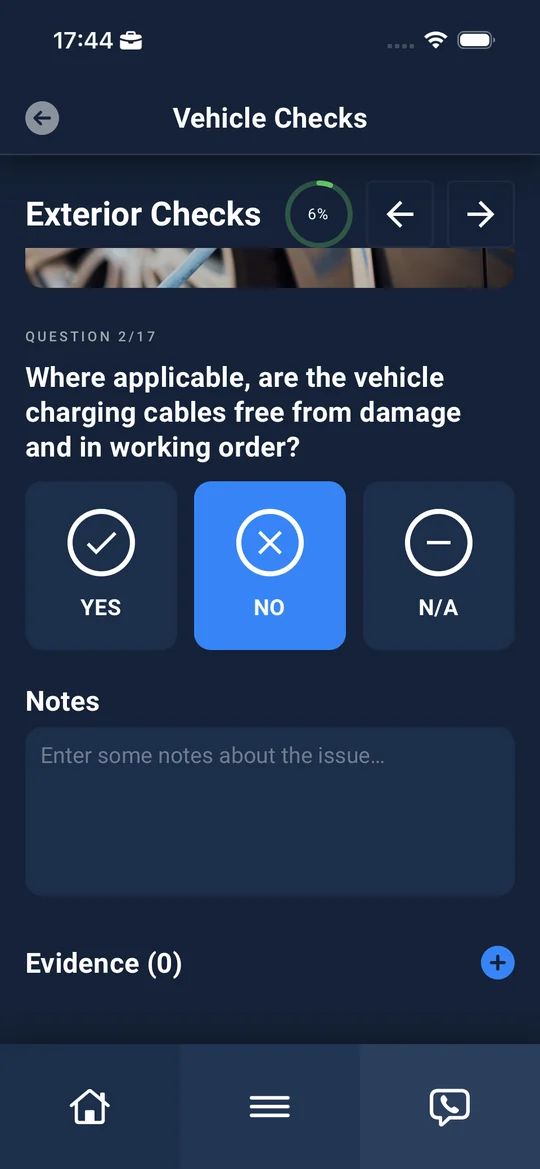
Drivers report defects from their vehicle in the Driver App, or a defect is raised automatically when a check fails. Either way, it's logged against the right vehicle with photos and notes, and drivers can see the status of their outstanding defects.
- Photo and video evidence from the phone
- Drivers see their outstanding defects and status
- Drivers using their own vehicle can self-certify fixes
For fleet teams
Every vehicle's defects and checks in one place
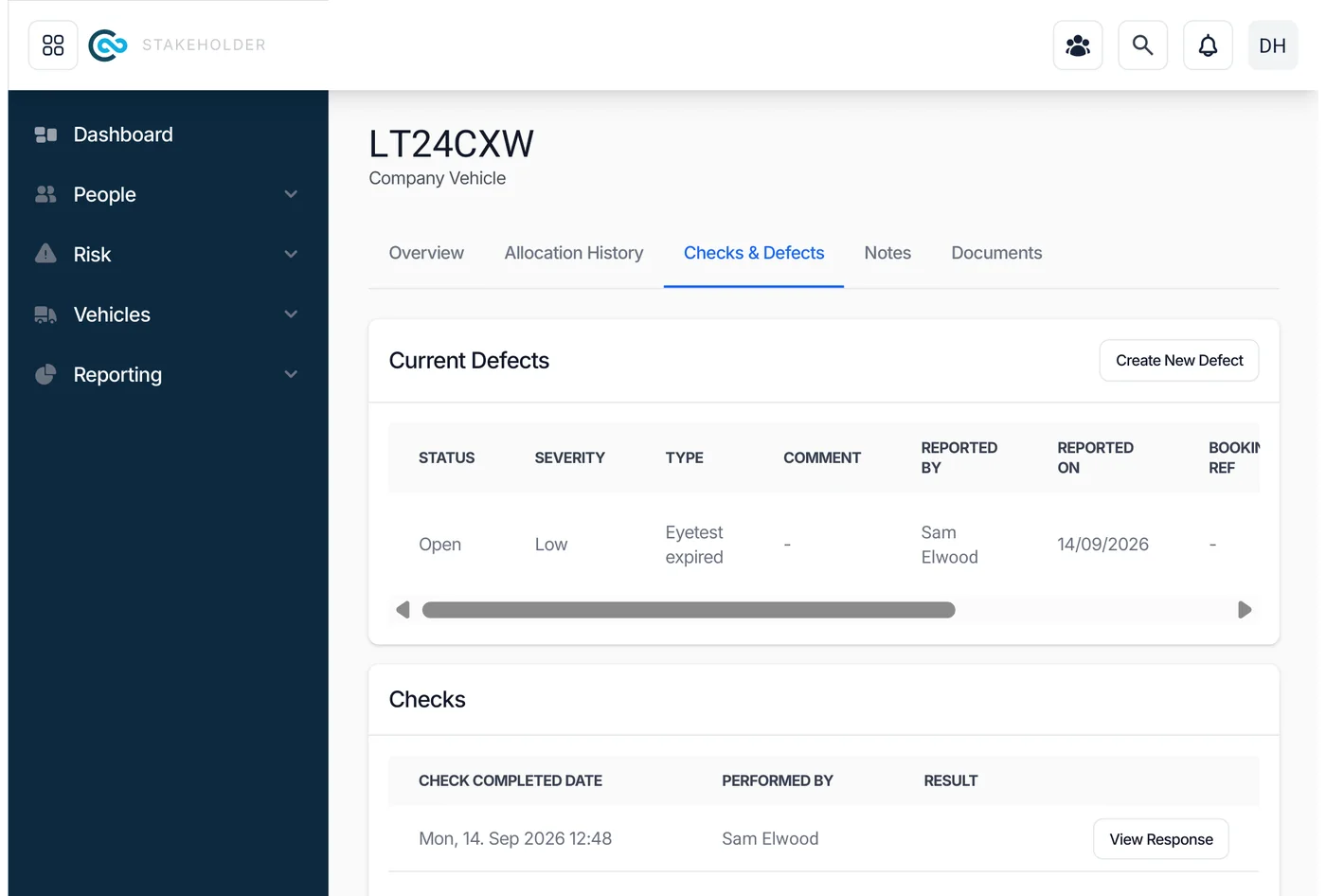
Open any vehicle to see its current defects, completed checks and each response, plus an archive of past defects. Create a defect yourself, update its status, add notes and record the booking.
- Status, severity, type, comments and who reported it
- Booking provider, reference and date
- Notes against every defect
- Defect archive with the full history
Supplier-neutral
Works with the maintenance providers you already use
Combiine doesn't tie you to one repairer. Link each vehicle to its leasing and maintenance providers, so bookings and useful contacts reach the right people, and drivers see who to call.
Providers linked to vehicles
Leasing and maintenance providers are recorded against each vehicle.
Real-time visibility
Open defects are visible across the fleet as soon as they're reported.
Audit trail
From first report to repair, every change is recorded.
Defects report
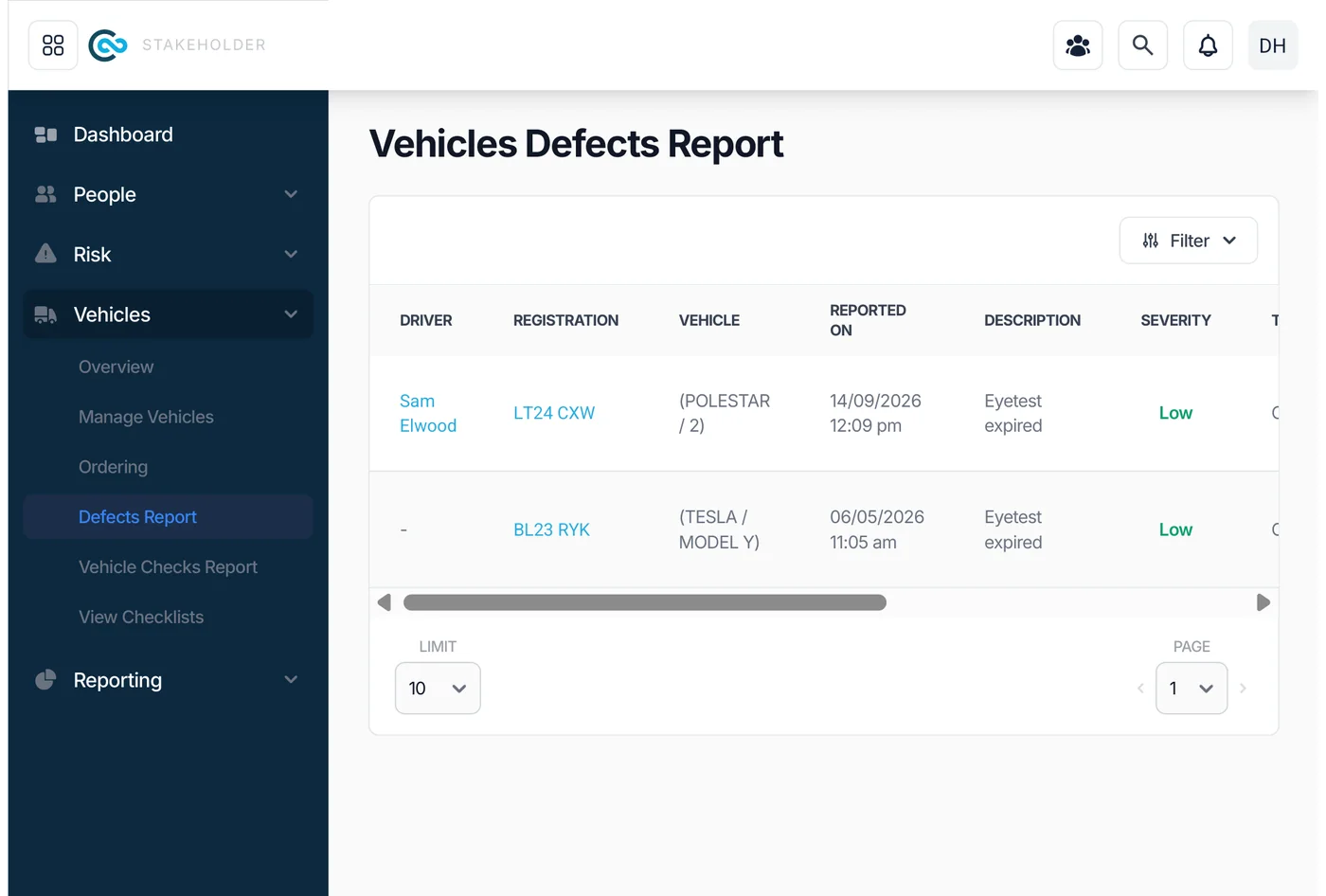
Every open defect by driver, vehicle and severity, with filters.
Actions and exports
Defects feed the actions engine and your data exports.
Secure sharing
A secure link so providers can see photos, notes and history without logging in.
Part of one platform
Works with the rest of Combiine
Cut the time from defect to repair
See how defects move from the driver's phone to your maintenance provider and back.